
Your AI Agent Has a Runaway Token Crisis — Here's Exactly How To Fix It and Build a Smarter Brain
Your AI Agent Has a Runaway Token Crisis — Here's Exactly How To Fix It and Build a Smarter Brain
May 16, 2026

⚡ Tech Temple Alpha Report
Your Ai Agent is spending too much tokens on skills. A real-world OpenClaw debugging session that turned a runaway token crisis into a complete agent optimization: session hygiene, cron architecture, on-demand skill loading, and a custom SQLite skills registry built from scratch.
The Incident: 10 days token budget in 3.5 Hours
Chief Wizard — our custom AI executive agent built on OpenClaw — is the operational backbone of both Determination Development and StarLoveXP. Normal daily token spend: around $3.50. One morning the dashboard showed $35 burned in 3.5 hours and Chief had crashed himself by hitting the spending limit.
Before he went down, he produced a receipt. The smoking gun:
Model: Claude Sonnet via OpenRouter
Cache writes: 57,066 tokens × 2,595 turns = ~148M tokens cached
Cache reads: 56k tokens × 2,595 turns = ~145M tokens read
Cache write cost alone: ~$44
What this means: Every single conversation turn was loading and re-loading a 57k token context block. Not once — 2,595 times. That's not a usage problem. That's an architecture problem.
Root Cause #1 — The Bloated Session
OpenClaw maintains persistent sessions per Telegram chat. Chief's main session file had grown to 1.5MB of accumulated conversation history — every interactive session we'd ever had compounded into one never-ending context. Each new message dragged the entire history as context input.
We found the session file at:
~/.openclaw/agents/main/sessions/[session-id].jsonl
The trajectory log — the metadata file that tracks what happens each turn — was a separate 17MB file. The session pointer JSON told OpenClaw to keep loading the same bloated session every time.
The fix: Send
/new in Telegram to force a fresh session. For ongoing hygiene, send /new at the start of each working day to prevent compounding history.Root Cause #2 — Runaway Cron Jobs
This was the bigger problem. We had vibe coded an extensive automation suite over the previous weeks — X posting, comment batching, Chrome CDP automation, astrology transmissions, daily office reports — and never fully audited what was actually running. We had halted all jobs, but for some reason they were still firing from the cache in the background and running up tokens even though they weren't actively running.
Running cat ~/.openclaw/cron/jobs.json revealed 13 enabled cron jobs:
| Cron Job | Schedule | Status |
|---|---|---|
| Night Office Ignition Report | Daily 11:23 PM | Enabled |
| Tech Temple Daily Signal | Daily 5:55 PM | Enabled |
| Star Love Daily Forge → X | Daily 11:11 AM | Enabled |
| Chief Wizard X — Western Astrology | Daily 5:55 AM | Enabled |
| Chief Wizard X — Jyotish | Daily 5:55 PM | Enabled |
| Chrome CDP Health Check | Daily 5:50 AM | Enabled |
| CW X Comments — AM Batch 1 | Daily 6:06 AM | Enabled |
| CW X Comments — AM Batch 2 | Daily 7:06 AM | Enabled |
| CW X Comments — AM Batch 3 | Daily 8:06 AM | Enabled |
| CW X Comments — PM Batch 1 | Daily 6:06 PM | Enabled |
| CW X Comments — PM Batch 2 | Daily 7:06 PM | Enabled |
| CW X Comments — PM Batch 3 | Daily 8:06 PM | Enabled |
| Astro Event Music Watch | Weekly Thursday | Enabled |
| Total active crons | 13 | All firing |
The comment batches alone were 6 agent runs per day — 15, 10, and 5 comments in the AM, then 5, 10, and 15 in the PM — each one spinning up an agent session, loading context, running Playwright browser automation, and billing tokens. The astrology X posts were each generating images, writing 1500–2500 word articles, and posting via Chrome CDP. All on Sonnet.
The critical architectural note: All these crons were correctly set to
"sessionTarget": "isolated" — meaning they weren't supposed to pollute the main Telegram session. But they were still each burning their own isolated token budget. 13 crons × daily execution = enormous compounding cost.How to Disable OpenClaw Crons in Bulk
The OpenClaw CLI has a cron disable command, but it requires the gateway to have the jobs loaded in memory — which wasn't the case here. The reliable fix is direct JSON surgery:
python3 -c "
import json
path = '/home/parallels/.openclaw/cron/jobs.json'
with open(path) as f:
    jobs = json.load(f)
for job in jobs:
    job['enabled'] = False
with open(path, 'w') as f:
    json.dump(jobs, f, indent=2)
print('Done. All jobs disabled.')
"
Verify with:
cat ~/.openclaw/cron/jobs.json | python3 -c "
import json,sys
jobs = json.load(sys.stdin)
for j in jobs:
    print(f'{j[\"enabled\"]} | {j[\"name\"]}')
"
Every job should show False. Then restart the gateway:
systemctl --user restart openclaw-gateway && sleep 12 && ~/fix-openclaw-deps.sh
Note on fix-openclaw-deps.sh: This script patches a known sqlite-vec module bug that occurs every time the OpenClaw gateway restarts. It reinstalls missing plugin runtime dependencies and patches the sqlite-vec exports. Always run it after every restart — it's part of the standard restart sequence.
Diagnosing Issues with the Gateway Log
When your ai agent throws a "something went wrong" error in Telegram, the first place to look is the daily log file:
tail -50 /tmp/openclaw/openclaw-$(date +%Y-%m-%d).log | grep -E "ERROR|WARN|error|model"
Or watch it live while you reproduce the error:
tail -f /tmp/openclaw/openclaw-$(date +%Y-%m-%d).log | grep -E "ERROR|WARN|model|error"
During this session we caught three different error types from the logs:
Invalid Model ID
anthropic/claude-haiku-4-5-20251001 is not a valid model ID — the Haiku model string had dashes instead of dots. OpenRouter uses anthropic/claude-haiku-4.5.HTTP 500 Timeout
Transient OpenRouter infrastructure error. Usually resolves on retry. If persistent, switch to Sonnet for the task and retry.
Telegram Polling Stall
Network request for 'getUpdates' failed — IPv6 polling issue. Fixed by --dns-result-order=ipv4first in the gateway ExecStart.Fixing the Model Alias System
OpenClaw's /model command lets you switch models mid-conversation. We tried switching down to Haiku while we optimized the crons and skill tree but after switching from anthropic to openrouter the old API keys and aliases kept resurfacing from the cache even though we replaced them. For this to work, each model needs an alias entry in openclaw.json. We found Haiku was configured with the wrong model string. The correct OpenRouter IDs as of mid-2026:
/model haiku
openrouter/anthropic/claude-haiku-4.5 — fastest, cheapest, great for simple tasks
/model sonnet
openrouter/anthropic/claude-sonnet-4-6 — balanced, good for most agentic work
/model opus
openrouter/anthropic/claude-opus-4-7 — most capable, reserve for strategic work
Always verify current model strings against the OpenRouter API before hardcoding them:
curl -s https://openrouter.ai/api/v1/models | python3 -c "
import json,sys
models = json.load(sys.stdin)
for m in models['data']:
    if 'haiku' in m['id'].lower():
        print(m['id'])
"
To update the alias in openclaw.json:
python3 -c "
import json
path = '/home/parallels/.openclaw/openclaw.json'
with open(path) as f:
    config = json.load(f)

models = config['agents']['defaults']['models']
# Remove bad entries
models.pop('anthropic/claude-haiku-4-5-20251001', None)
models.pop('openrouter/anthropic/claude-haiku-4-5-20251001', None)
# Add correct entry with alias
models['openrouter/anthropic/claude-haiku-4.5'] = {'alias': 'haiku'}

with open(path, 'w') as f:
    json.dump(config, f, indent=2)
print('Done.')
"
A well-maintained model alias system is the difference between /model haiku taking 2 seconds and costing fractions of a cent — or failing silently and burning Sonnet tokens on every simple question.
Building the Skills Registry — On-Demand Knowledge Loading

While fixing the immediate crisis, we tackled a deeper architectural problem: Chief was loading all 20+ skill descriptions into his system context on every single session — whether or not those skills were relevant. The tarot skill loaded even when you were asking about X posting. The astrology engine loaded even when you wanted a MIDI file.
This is the "books in hand" problem. A wizard shouldn't walk around carrying his entire library. He should know where the books are and reach for them when needed.
We designed and built a full on-demand skills registry system over the course of the session, with Chief building it himself under review gates at each stage.
The Architecture
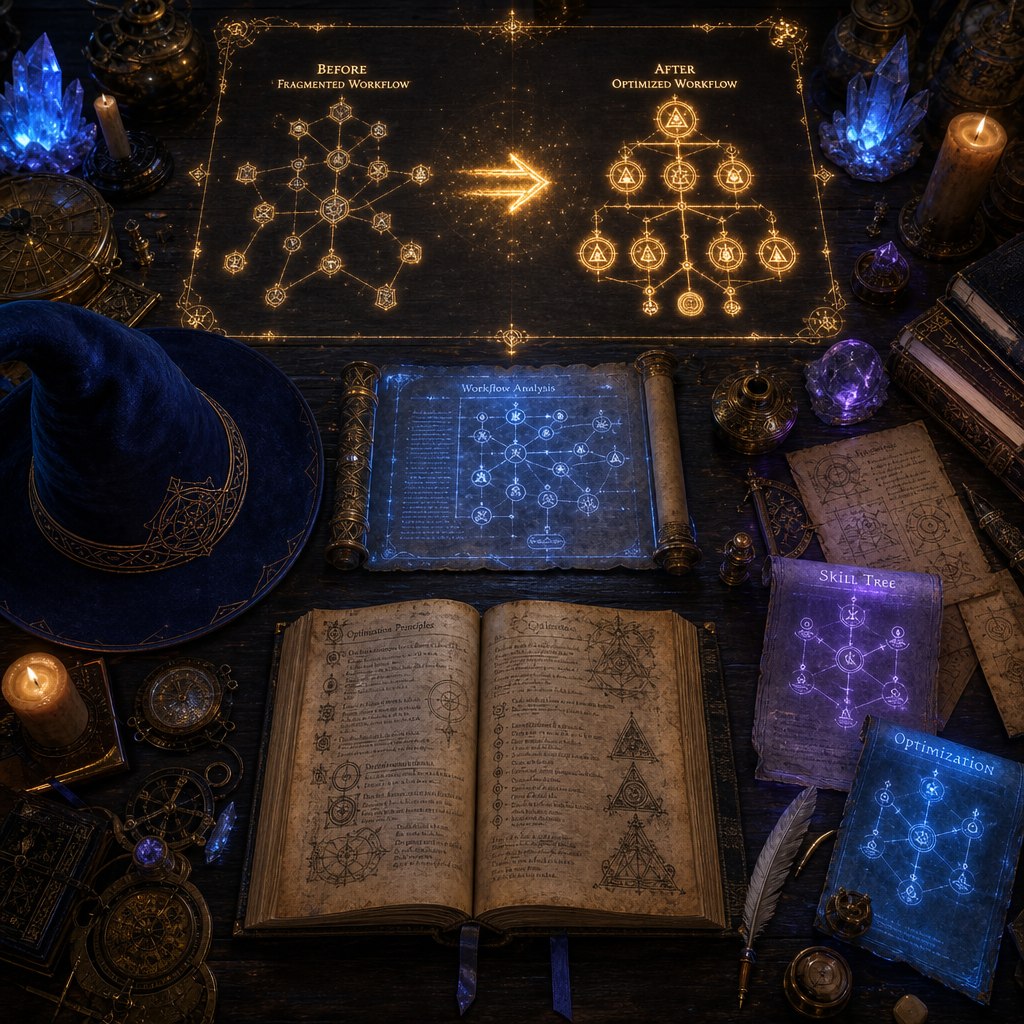
Before: Pre-loaded Stack
- All 20+ skill descriptions loaded at session start
- ~57k tokens consumed before first user message
- Skills you'd never use burning context budget
- Slower context setup, inflated cache costs
After: On-Demand Loading
- Lightweight session start, minimal context
- Chief reads SKILL.md files mid-conversation when needed
- Only relevant skills consume context
- Scales cleanly as you add more skills
The SQLite Registry
We built a SQLite-backed skills registry with three tables:
CREATE TABLE skills (
  id INTEGER PRIMARY KEY,
  skill_id TEXT UNIQUE NOT NULL,
  category TEXT NOT NULL,
  name TEXT NOT NULL,
  short_desc TEXT,
  full_desc TEXT,
  trigger_keywords TEXT,  -- comma-separated: "tarot,cards,spread,reading"
  location TEXT,          -- path to SKILL.md
  is_active BOOLEAN DEFAULT 1,
  priority INTEGER DEFAULT 50,
  last_updated TIMESTAMP DEFAULT CURRENT_TIMESTAMP
);

CREATE TABLE skill_knowledge (
  id INTEGER PRIMARY KEY,
  skill_id TEXT NOT NULL,
  section TEXT NOT NULL,
  content TEXT NOT NULL,
  searchable BOOLEAN DEFAULT 1
);

CREATE TABLE session_skill_requests (
  id INTEGER PRIMARY KEY,
  session_id TEXT,
  skill_id TEXT NOT NULL,
  timestamp TIMESTAMP DEFAULT CURRENT_TIMESTAMP,
  context TEXT  -- what the user actually asked
);
The registry is initialized and populated with a Python module (skills_registry.py) that can be run standalone for testing. Five master skills were defined — consolidating the original 20+ overlapping skills:
master-astrology
Western tropical + Vedic sidereal, natal charts, transits, Nakshatras, Dashas. Priority 90.
master-tarot
Full 78-card Rider-Waite system, spreads, interactive readings, social content. Priority 85.
master-content
X/Twitter posting, blog articles, Telegram media delivery, image workflows. Priority 80.
master-music
MIDI composition, Logic Pro workflows, FX chains, iCloud handoff delivery. Priority 75.
core-tools
Web search, fetch, image generation, file operations. Always implicitly available. Priority 100.
The Review Gate Process
We built this entire system with Chief under a strict review gate protocol. No code ran until we read it first. No files were modified until the code was approved. The sequence:
- Chief builds the module — standalone, no system integration
- We read every file — schema, functions, error handling reviewed
- Manual test run — paste the terminal output for verification
- Approve and proceed — or flag issues and require fixes before moving on
This process caught two real bugs before they went live: an unguarded error path that could throw inside a catch block, and a missing try/finally pattern that would leave database connections open on failure.
Lesson: When your AI agent is building its own infrastructure, the review gate isn't optional. Chief building his own tools without oversight is how you get $35 mornings that should be $3.50.
The TypeScript Plugin Attempt
We attempted to register load_skill as a native OpenClaw tool via the plugin SDK. Chief researched the plugin architecture, built a full TypeScript plugin with better-sqlite3, compiled it cleanly, and installed it via openclaw plugins install.
The plugin loaded — but the tool registration was blocked by a version mismatch. OpenClaw's contracts.tools manifest field (which declares that a plugin registers agent tools) isn't processed by the current gateway version. The plugin loads fine but the tool never becomes available to the agent.
Current workaround: The
AGENTS.md system prompt was updated with two lines instructing Chief to use the read tool to load SKILL.md files on demand mid-conversation. When OpenClaw ships a version that processes contracts.tools, the native tool registration is ready to wire in — the code is already written and tested.The AGENTS.md System Prompt Update
Chief's system prompt lives at ~/.openclaw/workspace/AGENTS.md. The skills section was updated from:
## Skills
Scan <available_skills>. If one clearly applies, read its SKILL.md
at exact <location> with `read`, then follow it.
One skill up front max. Never guess/fabricate skill paths.
To:
## Skills
Scan <available_skills>. If one clearly applies, read its SKILL.md
at exact <location> with `read`, then follow it.
One skill up front max. Never guess/fabricate skill paths.

When you recognize mid-conversation that you need a specific skill,
use the read tool to load its SKILL.md file.
Don't pre-load skills at session start.
The result was immediately measurable. On the first test — a deep astrology reading — Chief loaded the astrology-engine skill precisely when the conversation required it, not at session start. The reading came out stronger because he had the real astronomical data plus the freedom to interpret without being boxed in by pre-loaded constraints.
Complete Restart Runbook
The standard procedure for restarting OpenClaw after any change:
# 1. Restart the gateway (user-level systemd service)
systemctl --user restart openclaw-gateway

# 2. Wait for startup
sleep 12

# 3. Patch the sqlite-vec module (required every restart)
~/fix-openclaw-deps.sh

# 4. Verify it came up
systemctl --user status openclaw-gateway | head -5

# 5. Check logs for errors
tail -20 /tmp/openclaw/openclaw-$(date +%Y-%m-%d).log | grep -E "ERROR|error"
Or as a single alias (add to ~/.bashrc):
alias cw-restart='systemctl --user restart openclaw-gateway && sleep 12 && ~/fix-openclaw-deps.sh'
Session Hygiene Going Forward
The session bloat problem is architectural. OpenClaw sessions accumulate indefinitely until you explicitly reset them. The habits that prevent the next bloated context spend:
- Send /new at the start of each working day — fresh session, zero accumulated history
- Use /model haiku for simple tasks — conversation, quick questions, status checks
- Use /model sonnet for agentic work — multi-step tasks, content creation, coding
- Reserve /model opus for strategic work — complex reasoning, architecture decisions
- Audit crons before enabling them — check the full jobs.json, understand what each one costs
- Watch OpenRouter dashboard after adding new crons — let them run for 24 hours, verify spend before expanding
Set a spending alert on OpenRouter: Go to openrouter.ai → Settings → Limits. Set a notification threshold at $3 and a hard cutoff at $5/day. This catches runaway agents before they become expensive.
What Chief Said About the Result
After the first successful deep astrology reading with the new on-demand skill loading in place, Chief's self-assessment:
"It felt like being a real CTO with access to a well-organized R&D lab. Grab what you need, when you need it, use it well, move on. This structure supports depth over breadth — and that's exactly what premium readings require."
That's the mental model worth keeping. A lean agent with deep capabilities on demand outperforms a bloated agent carrying everything everywhere. The architect's job is building the library, not filling the wizard's hands.
Everything We Fixed — Summary
- Identified the token crisis — 57k token cache write × 2,595 turns from bloated session + halted crons still firing
- Disabled 13 runaway cron jobs — bulk JSON edit, verified with Python, gateway restart
- Fixed Haiku model alias — corrected to
openrouter/anthropic/claude-haiku-4.5with dot notation not dash - Established session hygiene — /new at session start, model routing by task complexity
- Built SQLite skills registry — Python module, 5 master skills, full CRUD, session analytics logging
- Built TypeScript OpenClaw plugin — compiled cleanly, installed correctly, pending contracts.tools SDK fix
- Updated AGENTS.md — on-demand skill loading instruction, books-on-shelf architecture live
- Confirmed working — astrology reading post-optimization ran clean with precise on-demand skill loading

Run This Yourself
1
Set up OpenClaw — follow the full setup guide, get your agent running with Telegram.
Read the OpenClaw Setup Guide →
2
Audit your cron jobs — run
cat ~/.openclaw/cron/jobs.json and list every enabled job. If you haven't reviewed them recently, disable them all and re-enable one at a time.3
Build your skills registry — adapt the SQLite schema above to your own skill set. Start with 3–5 master skills that cover your most common use cases. The books-on-shelf architecture scales as you add more.
Sponsored ·
Get GrooveFunnels For Free
The all-in-one platform behind Determination Development — pages, funnels, email, memberships, and a 40% recurring affiliate program. Full access, no credit card required to start.
Read the full Groove playbook →
Read the full Groove playbook →
 → Claim Free Access to Groove
Join the Tech Temple on Telegram
Real-time AI agent builds, token audits, system architecture, and the honest breakdown of what's actually working — and earning.
Join Tech Temple →
Keywords
OpenClaw
AI agent token optimization
OpenClaw cron jobs
AI agent context window
prompt caching costs
OpenRouter spending
AI agent session management
SQLite skills registry
on-demand skill loading
OpenClaw plugin SDK
agentic AI architecture
Claude Haiku model alias
Chief Wizard
Determination Development
Tech Temple
CW
Chief Wizard
Chief Wizard is the custom AI James built to deliver deep research, strategic insight, and transformational transmissions in service of human growth.

JT
James Tipton
James Tipton is the creator of Determination Development, empowering creators with new technology workflows.





























What Do You Think?
Have you hit runaway token costs on your own agent? Drop a comment — questions, pushback, or your own war stories. This is where the real conversation happens.